
I am often asked about my workflow and I thought I would start documenting it. It’s an ever evolving process and what is good for me may not work for you. Today I will describe how I organize my photos and choose them for editing.
First a little history. When I first started shooting as a full time hobby, I would identify my keepers and immediately process them and put them on the web. I quickly began to realize that I wasn’t being selective enough and was spending way too much time processing images that, quite frankly, were not worth it. I also felt a bit overwhelmed when I got home as I felt the immediate pressure to process all of the images. As a result, I became more critical of my work and only kept the images that I really liked and thought had potential.
My digital darkroom skills back then were pretty rudimentary. So, I began to edit a few photos from each shoot and saved the other ones for future editing once my processing skills improved. I quickly discovered that finding the unprocessed keepers was a challenge due to how I organized my photos. I organize my images in a “Master Photo” folder location that contains sub-folders for each year . Inside each year’s sub-folders were additional sub-folders for each shoot (labeled with the shoot name and date). While this structure worked (and still works) for me, it made looking for these unprocessed keepers a bit tedious.
It wasn’t until I started using Lightroom’s collections feature that I stumbled upon a way of finding these older images a lot easier. The first step was to lose the mindset about folders. Yes, I still store my images in the same folder structure, but after they are imported into Lightroom, I no longer use them. Immediately after import, I review the photos, rejecting the obvious ones and giving 5 stars to the obvious keepers that I want to process some day. These are automatically sent to a collection named “To Be Processed”. The remaining photos are reviewed a second time, usually to evaluate similar photos that I haven’t made a decision about yet. On this second review, some images are deemed keepers and given 5 stars. I have done that for all of my images.
Now when I want to process an image, I don’t care which folder an image is in. Instead, I simply look through the “To Be Processed” collection and pick the ones that feel right to me that day. The image could be one I took last week or one that I took years ago.
How does my workflow differ from your yours? I welcome any comments, suggestions or questions.
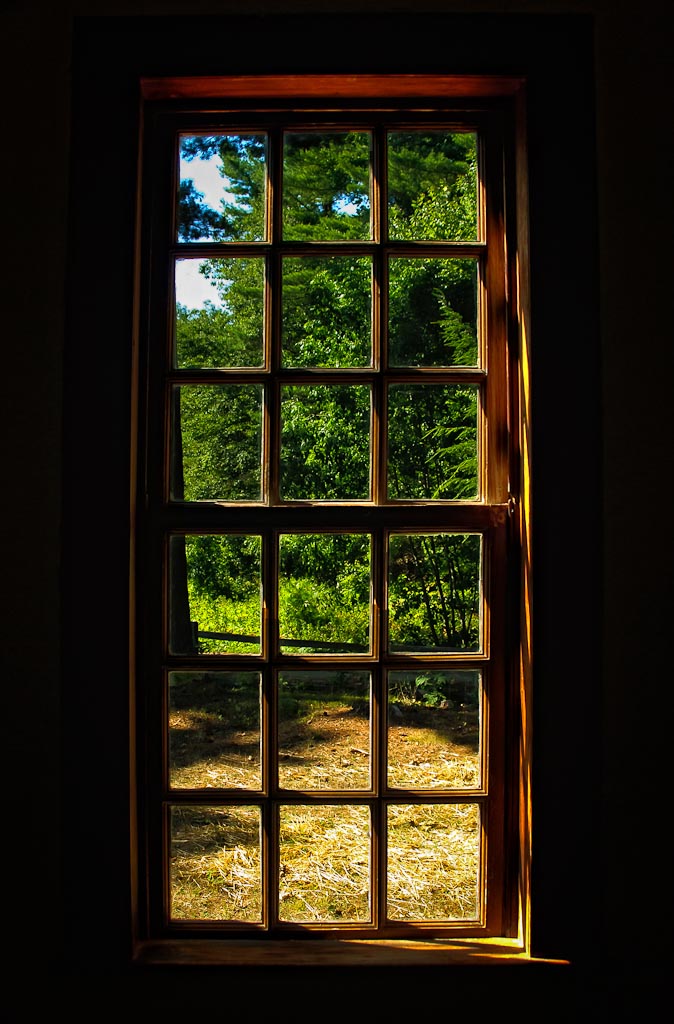
This image was shot a few years ago from inside one of Old Sturbridge Village’s cabins. The light from the outside gave a great glow on the old window frame.


I too have a folder of images labelled 5 star in Lighroom that I intended to process first. Only problem is I get too sidetracked and end up spending precious time processing 3 and 4 star images instead!
It’s almost like I am afraid to touch the 5 star images in case I don’t do them justice. I always feel my post processing skills are improving and I should ‘wait’ and do my best images ‘later’ rayher than sooner. Crazy eh?
Marc Collins recently posted..Bath Hotel at Dawn
Not so crazy. Human nature. I actually go back to 5 star images that I have already edited if I think my editing skills have improved so to get a better or different result.
Wow, beautiful… I love this picture!

Victoria recently posted..Humla
cool shot Len, I always like this type of shot- as far as workflow, I use Aperture and my folders are set up by geo, then city (for Example: Texas, then Austin, Dallas, etc — or Europe, then Madrid, London, etc). When I process, I prefer to just jump around and pick a few at a time, from a different place, which gives me a little variety plus brings back memories of various trips. Anyways, great shot!!
Jim Nix recently posted..Into the Upper Valley
Beautiful shot here Len. The lighting is incredible. My workflow is such a disaster right now, I’m not sure I can accurately describe or compare it. I actually like the way yours works and may try to incorporate it into my mess. Thanks for sharing.
Steven Perlmutter recently posted..Pemaquid Steps
Nice shot today Len! I also use a Photos->Year->Location->Date folder structure for storage but like you don’t really care where an image is located once in LR.
I use the flag system on my first/second edit pass to identify keepers. This automatically places these into a smart collection that I can browse later.
Star ratings denote stages of processing: 1=look at later, 2=stacked (brackets) and basics done, 3=heavier lifting completed (Photomatix, PhotoTools, Topaz, etc), 4=ready for final review, 5=done and ready to post/print. I have smart collections setup for each of these.
Color ratings let me know what I’ve done with an image. Green=Blog, Blue=Facebook only, Yellow=Printed. An image only gets a color rating once it’s hit 5-stars.
In the end, a completed and posted image will be flagged, have a 5-star rating and a color rating. These also appear in the Five-Star smart collection that I can use to see completed works.
Sounds a little complicated but it’s honestly fairly quick and intuitive - for me anyway!
Curt Fleenor recently posted..After Glow
There is a lot of logic about your workflow and it doesn’t sound too complicated. In fact, I tried a similar approach but it got out of control. I guess I wasn’t focused enough as I occasionally forgot to do some of the steps and it got messed up. That’s why I think everyone should have their own workflow based on their own personal needs and proclivities.
First of all great image Len…as usual. Secondly…thank you for this post. Believe it or not I do not have Lightroom yet but well be getting it soon. I also keep my photos in folders by date and location and you’re right I find myself wanting to process all my shots but am getting overwhelmed with the volume. I really like the process you’ve laid out in this post. I may have to call on you when I get Lightroom for more advice.
Edith Levy recently posted..Farewell Hero
Yes I highly recommend getting either Lightroom or Aperture. They leapfrog one another with features. I chose Lightroom because there is a lot more education available. I saw NAPP had a deal on LR for $99. Not sure if it is still in effect. That’s the lowest that I’ve seen it. Anyway, if you get it, feel free to call or e-mail, I’d be happy to help.
Really cool shot. I love these inside looking out images.
A.Barlow recently posted..Image Critique #1
Great image and tips today.
Chris Frailey recently posted..Dark Skies
Nice shot with great framing and light.
As for the whole LR workflow goes. All my images are imported on an individual basis. I will make minor adjustments and then color code them yellow. From there, they go into Photoshop for full editing, and saved as a PSD. Final tweaks are applied in LR. Once done, Meta info is applied and the photo is color coded green. It’s not perfect by any means, but it works well for me!
Chris Nitz recently posted..Beer Label Friday Week 37
Its great reading about your process. I did the same thing, posting hundreds of photos rather than the 3-4 that I really liked. I’m far more selective now, and much less inclined to discard something that with a little thought and effort, could turn into a great image. Nicely summarized.
Kris Koeller recently posted..Daily Photo: The Manhattan Bridge
First, Len this is an incredible image, really nice one.
I recently became frustrated having to open and close catalogs, since I had been using a catalog for every year. Then I watched a video of Julieanne Kost from Adobe. She recommend that instead of a catalog for each year, to consider using a folder. Afterwards I combined all of my catalogs. I’m actually still in the process of going through and re-processing some of my images from each year.
As for work flow I recently began going through and deleting the bad ones and marking the ones that are interesting with a star. Then I’ll go through them again and narrow that group down by assigning two stars to the ones that I want to process. Then I process that group in LR. Afterwards, I continue processing the image with a plugin. When I am finished I assign it a three star just so that I can look back later and know that it has been completed.
Love the shot Len, very strong colors and contrast, looks outstanding!
I really like your technique here and my have to spend some more time doing that. I feel like I spend so much time looking at shots and then RE-looking at shots to find which ones I want to process. I can’t wait to get home and dump everything into LightRoom!
Dave DiCello recently posted..Bright Times
definitely a window with character.
sherri recently posted..wheelbarrow
I always love an image framed by a window, beautifully done.
A Creative Adventure/denise ippolito recently posted..Eckla Multi Rolly Gear Carts